Here’s one of the easiest and most practical ways to launch Motioncube on the go – ideal for quick tests, demos, or mobile use.
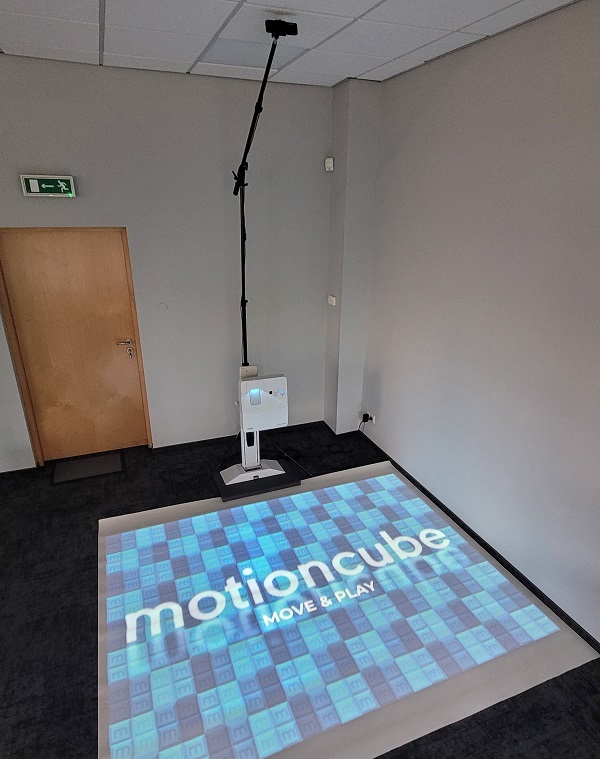
Mobile Motioncube floor setup
All you need is:
- A UST (Ultra Short Throw) projector mounted on a wall bracket
- A stable base – we used a piece of kitchen countertop with finished edges (any local carpenter can make one)
- A boom-style arm – we used the SmallRig 3737 RA-S280 Light Stand with arm
- A depth camera – e.g., Orbbec Astra 2, Orbbec Astra Pro Plus, or a similar model
This compact solution is quick to assemble, easy to transport, and delivers full interactive floor functionality anywhere you need it.
🚀 Try Motioncube for free: https://motioncube.io/en/guide-floor
💬 Join the conversation on this post on X — Like & Retweet
